Authorization Code Flow (PKCE)
The OAuth2 authorization code flow with PKCE is the browser-based flow where a vehicle owner logs in and grants consent. It is used in two ways:
- Vehicle owners / customers signing in to access their own vehicle data.
- Third-party developers obtaining a customer-scoped token through delegated consent - the customer logs in and authorises the developer's application.
Both variants use the same flow; the difference is whose client_id initiates it
and who ends up consenting. The resulting token is used against the
REST API and therefore requires a
DPoP proof on every call.
For input-constrained devices (where opening a full browser is impractical), customers can use the Device Code flow instead.
All authentication requests go to the authorization server
(https://auth.jlr-vcdp.com/realms/public), not the API gateway. See the
authentication overview for the
full endpoint list.
Step 1: Generate PKCE parameters
Before redirecting the user, generate a code verifier and challenge:
const crypto = require('crypto');

// Generate a random code verifier (43-128 characters)
const codeVerifier = crypto.randomBytes(32).toString('base64url');

// Create the code challenge (S256)
const codeChallenge = crypto
  .createHash('sha256')
  .update(codeVerifier)
  .digest('base64url');
Step 2: Redirect to the authorization endpoint
Direct the user's browser to the authorization endpoint:
GET https://auth.jlr-vcdp.com/realms/public/protocol/openid-connect/auth?
  response_type=code&
  client_id=YOUR_CLIENT_ID&
  redirect_uri=https://your-app.com/callback&
  state=RANDOM_STATE_VALUE&
  code_challenge=CODE_CHALLENGE&
  code_challenge_method=S256
The redirect_uri must match the callback URI configured on your client when its
credentials were created. There is no scope parameter - access is governed by the
client's configuration (the vehicles and data categories set at credential-creation
time), not by scopes requested here.
The user is taken to the JLR login page to authenticate.
auth-login.png - Login / sign-in screen. Drop the real image into
static/img/screenshots/ (see static/img/SCREENSHOTS.md in the repo).
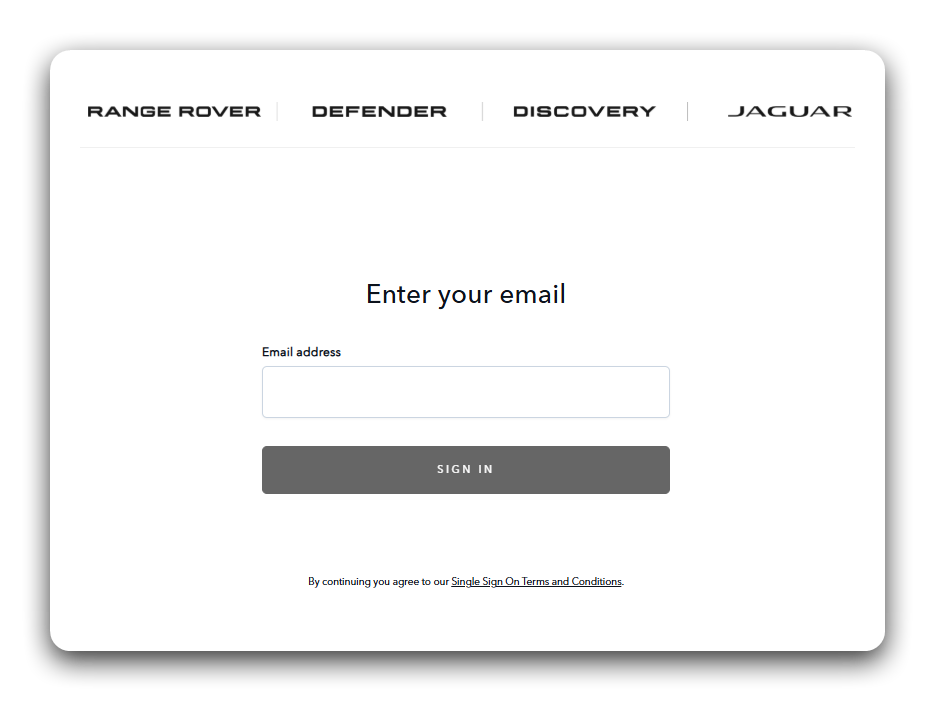
A customer accessing their own vehicle data is not shown a separate consent screen - the client's access was already set when its credentials were created. Consent only applies to the delegated flow, where a customer approves a third-party developer's application.
Step 3: Handle the callback
After authentication, the auth server redirects back to your redirect_uri with an
authorization code:
https://your-app.com/callback?code=AUTH_CODE&state=RANDOM_STATE_VALUE
Verify the state parameter matches what you sent to prevent CSRF attacks.
Step 4: Exchange the code for tokens
Exchange the authorization code for an access token. Authenticate the client with a client assertion and include a DPoP proof header (see DPoP for how to build the proof):
curl -X POST https://auth.jlr-vcdp.com/realms/public/protocol/openid-connect/token \
  -H "Content-Type: application/x-www-form-urlencoded" \
  -H "DPoP: YOUR_DPOP_PROOF_JWT" \
  -d "grant_type=authorization_code" \
  -d "client_id=YOUR_CLIENT_ID" \
  -d "client_assertion_type=urn:ietf:params:oauth:client-assertion-type:jwt-bearer" \
  -d "client_assertion=YOUR_SIGNED_ASSERTION_JWT" \
  -d "code=AUTH_CODE" \
  -d "redirect_uri=https://your-app.com/callback" \
  -d "code_verifier=CODE_VERIFIER"
Step 5: Receive tokens
A successful response returns:
{
  "access_token": "eyJhbGciOiJSUzI1NiIs...",
  "token_type": "DPoP",
  "expires_in": 300,
  "refresh_token": "eyJhbGciOiJSUzI1NiIs...",
  "refresh_expires_in": 1800
}
Use the access_token against the REST API. See
Tokens & Refresh for lifetimes and how to refresh.
Refreshing tokens
When the access token expires, use the refresh token to obtain a new one. The client assertion is required here too:
curl -X POST https://auth.jlr-vcdp.com/realms/public/protocol/openid-connect/token \
  -H "Content-Type: application/x-www-form-urlencoded" \
  -H "DPoP: YOUR_DPOP_PROOF_JWT" \
  -d "grant_type=refresh_token" \
  -d "client_id=YOUR_CLIENT_ID" \
  -d "client_assertion_type=urn:ietf:params:oauth:client-assertion-type:jwt-bearer" \
  -d "client_assertion=YOUR_SIGNED_ASSERTION_JWT" \
  -d "refresh_token=YOUR_REFRESH_TOKEN"
Delegated consent (for third-party developers)
Third-party developers use exactly the same authorization code flow, but the purpose is delegated access: the vehicle owner logs in and consents to your application accessing their vehicle data. The result is a customer-scoped access token that your backend uses to call the REST API on the customer's behalf.
Key differences from the customer's own browser flow:
- The
client_idbelongs to the developer's registered application, not the customer. - The customer consents to the developer's application and the data categories it declared (required and optional) when its credentials were created.
- The tokens represent the customer's authorisation delegated to the developer, and are subject to the customer's active consent (manageable in the portal).
Next steps
- DPoP - How to create the DPoP proof JWT required on every REST call.
- Tokens & Refresh - Lifetimes and refresh behaviour.
- REST API - Make your first authenticated call.