Real-Time Streaming (MQTT)
The streaming service delivers your vehicle data in real time over MQTT. It is one of the two parallel ways to access data; the other is the on-demand REST API. The two are independent - use either or both.
Unlike the REST API, the MQTT stream does not use DPoP. You authenticate by supplying your client-credentials access token as the password on the MQTT connection. See the two token models.
What is streaming?
Streaming transmits data in real time as it changes, rather than you polling for it. You configure which signals you want, and the broker pushes messages for those signals to your subscribed client. This is ideal when you need up-to-date values (for example location, tyre pressure, or battery state) without hitting REST rate limits.
What technology we use
| Technology | Role |
|---|---|
| MQTT | Lightweight publish/subscribe messaging protocol for real-time delivery. |
| QoS 0 | Messages are delivered at most once. Higher QoS requests are downgraded to QoS 0. |
| TLS | All stream traffic is encrypted in transit (mqtts). |
| OAuth2 | Access is authorised with a client-credentials access token (used as the MQTT password). |
QoS behaviour, the exact TLS/certificate requirements, and the connection-rate and one-connection-per-identity policies below are platform details.
Connection policies
- One connection per identity. Only one active stream connection per credential may be allowed at a time; subscribe to multiple VINs on the single connection rather than opening many connections.
- Connection-rate limiting. Rapid reconnect attempts from a single source may be temporarily rate-limited. Back off and reuse a healthy connection.
Prerequisites
- A client configured for the data you want to stream. See the Vehicle Owners guide for the portal steps.
- A client-credentials access token (obtained with your client assertion).
- A configured stream (below).
Step 1: Configure your stream
In the portal, configure a stream by selecting the streamable signals you want to receive. After you save the configuration, the portal shows your connection credentials.
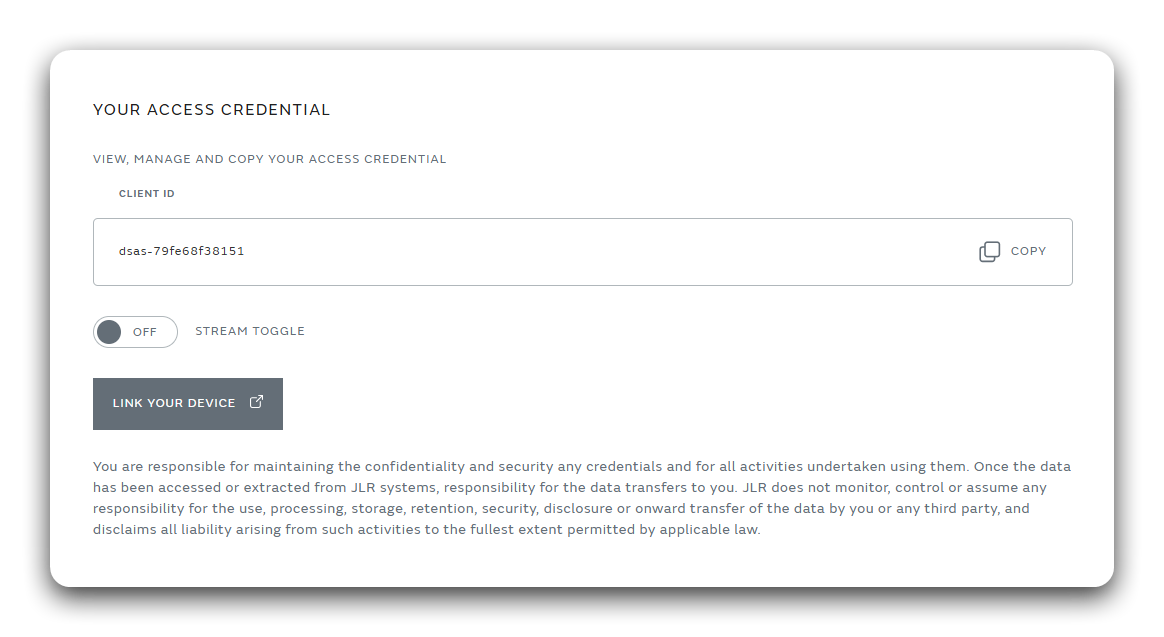
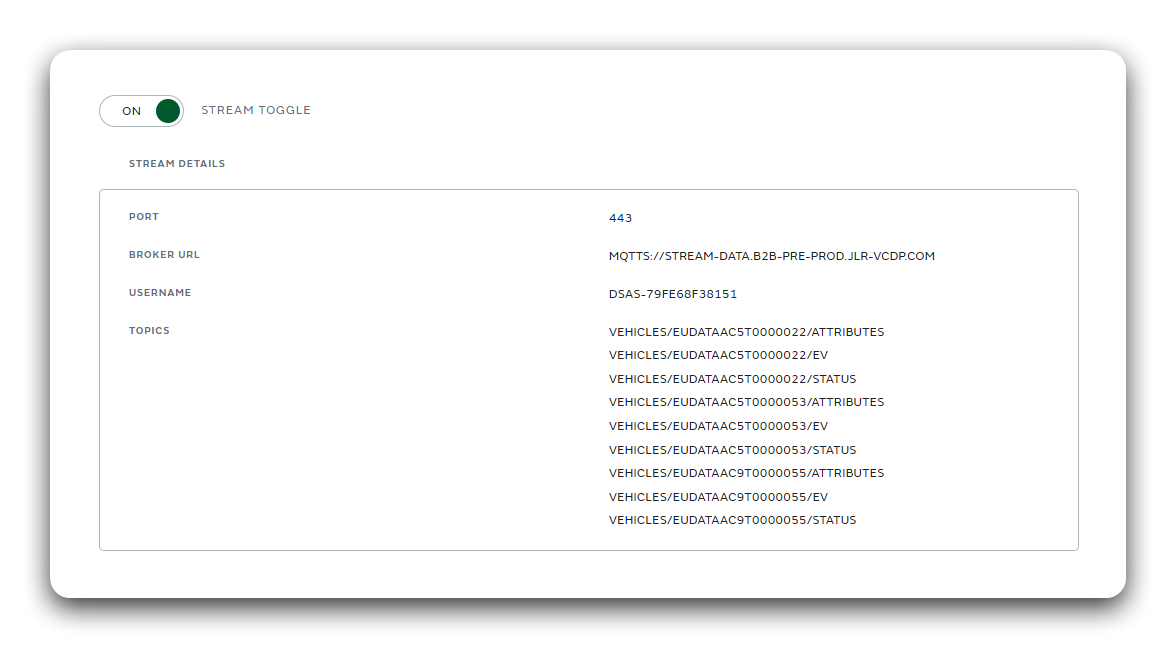
Your streaming credentials include:
| Field | Meaning |
|---|---|
| Host | The MQTT broker address - stream-data.jlr-vcdp.com. |
| Port | The broker port - 8883. |
| Topic | The data stream to subscribe to - account/{accountId}/vehicles/{vin}. |
| Username | Identifies your client on the connection. |
| Password | Your OAuth2 access token (not shown in the portal - you obtain it via the token endpoint). |
Step 2: Connect with an MQTT client
Any standard MQTT client works. MQTT over TLS (mqtts) is required - plaintext
connections are not accepted. The connection parameters are:
| Parameter | Value |
|---|---|
| Protocol | mqtts (MQTT over TLS) - required |
| Host | stream-data.jlr-vcdp.com |
| Port | 8883 |
| Username | from your streaming credentials |
| Password | your OAuth2 access token |
| TLS | enabled (verify the server certificate) |
Topic structure
Topics are scoped to your account and identify a vehicle's stream by VIN and data category. You can subscribe to a single topic or use MQTT wildcards to receive a broader slice of your data:
account/{accountId}/vehicles/{vin}/{category}   # one category for a specific vehicle
account/{accountId}/vehicles/+/{category}       # all vehicles in your account for a single category
account/{accountId}/vehicles/{vin}/#            # all categories for a vehicle
account/{accountId}/#                           # all data on your account
Replace {accountId} with your account identifier, {vin} with the vehicle's VIN,
and {category} with a data category.
MQTT provides two wildcards you can use in a subscription:
+matches exactly one topic level (for examplevehicles/+matches every VIN, but not the levels below it).#matches all remaining levels and must be the last character in the topic (for examplevehicles/{vin}/#matches every category under that vehicle).
Node.js example
Install the MQTT client:
npm install mqtt
const mqtt = require('mqtt');

// 1. Obtain a client-credentials access token first
//    (see /docs/authentication/client-credentials). No DPoP is used here.
const accessToken = 'YOUR_STREAMING_ACCESS_TOKEN';

// 2. Connection details. mqtts (MQTT over TLS) is required.
const host = 'stream-data.jlr-vcdp.com';
const port = 8883;
const username = 'YOUR_USERNAME';     // from your streaming credentials
const accountId = 'YOUR_ACCOUNT_ID';
const vin = 'YOUR_VIN';
// All categories for one vehicle. See "Topic structure" above for more patterns
// (single vehicle, a category across all vehicles, or your whole account).
const topic = `account/${accountId}/vehicles/${vin}/#`;

const client = mqtt.connect(`mqtts://${host}:${port}`, {
  username,
  password: accessToken, // the OAuth2 token is the MQTT password
  protocol: 'mqtts',
  rejectUnauthorized: true, // verify the broker's TLS certificate
  reconnectPeriod: 5000,    // auto-reconnect with backoff
  keepalive: 60,
});

client.on('connect', () => {
  console.log('Connected to stream');
  client.subscribe(topic, { qos: 0 }, (err) => {
    if (err) console.error('Subscribe failed:', err);
  });
});

client.on('message', (receivedTopic, payload) => {
  const signal = JSON.parse(payload.toString());
  console.log(receivedTopic, signal.name, '=', signal.value, signal.unit);
});

client.on('error', (err) => console.error('MQTT error:', err));
client.on('close', () => console.log('Connection closed'));
Message payload
Messages arrive as JSON, aligned to the COVESA VSS tree, with a timestamp of when the value was transmitted from the vehicle:
{
  "name": "Vehicle.Powertrain.TractionBattery.StateOfCharge.Current",
  "timestamp": "2026-07-28T05:16:53.000Z",
  "unit": "percent",
  "value": 72.5
}
Confirm the exact streaming payload schema (field names and types). The above mirrors the REST signal shape.
Step 3: Stay connected
A stream session is limited to 1 hour, after which the broker forcibly disconnects it. To avoid any disruption in service, obtain a new access token and reconnect before the hour is up rather than waiting for the disconnection. Build this proactive token-refresh-and-reconnect cycle into your client.
- Keepalive & reconnect. Configure a keepalive and an auto-reconnect/backoff policy (shown above). Respect the connection-rate policy - do not reconnect in a tight loop.
- Session expiry. Sessions are capped at 1 hour. The broker closes the connection when the session ends (or when the access token expires). Obtain a fresh token and reconnect ahead of time. See Tokens & Refresh.
- Multiple VINs. Prefer one connection with multiple subscriptions (or a wildcard) over multiple connections.
Example: connect with MQTTX
MQTTX is a free desktop MQTT client, useful for testing your stream before writing code.
-
Open MQTTX and create a New Connection.
Screenshot pendingmqttx-new-connection.png- MQTTX: new connection.
-
Enter the connection details:
- Name - any label.
- Host - select
mqtts://and enterstream-data.jlr-vcdp.com. - Port -
8883. - Client ID - keep the generated value.
- Username - the username from your streaming credentials.
- Password - your current OAuth2 access token (not expired).
- SSL/TLS - enabled, with certificate settings as required by the broker.
Screenshot pendingmqttx-connection-details.png- MQTTX: connection details / credentials. -
Connect, then add a New Subscription using one of the topic patterns from Topic structure above - for example
account/{accountId}/vehicles/{vin}/#for all categories on a vehicle, oraccount/{accountId}/#for everything on your account.Screenshot pendingmqttx-subscription.png- MQTTX: new subscription.
Once a configured signal updates, a JSON message appears in MQTTX.
Next steps
- Client Credentials - Get your streaming token.
- Tokens & Refresh - Keep the connection alive.
- REST API - The on-demand alternative.